¶ Helium LORA Server
This guide will walk you though configuring the Helium LORA server to send data to the IoT Bridge.
This quickstart guide is not intended to stand-alone, it is part of the LORA to Azure IoT Hub quickstart guide.
¶ Pre-requisites
- Account on Tartabit IoT Bridge.
- Access to a Microsoft Azure subscription.
- Access to a Helium LORA server.
- A device that is publishing data on the Helium server.
¶ Big picture
If you havent read it yet, start by reading the LORA to Azure IoT Deep Dive to understand the recommended architecture. In this guide
¶ 1. Import the solution template
- Import the
Helium quickstartsolution template by clicking the Import button.
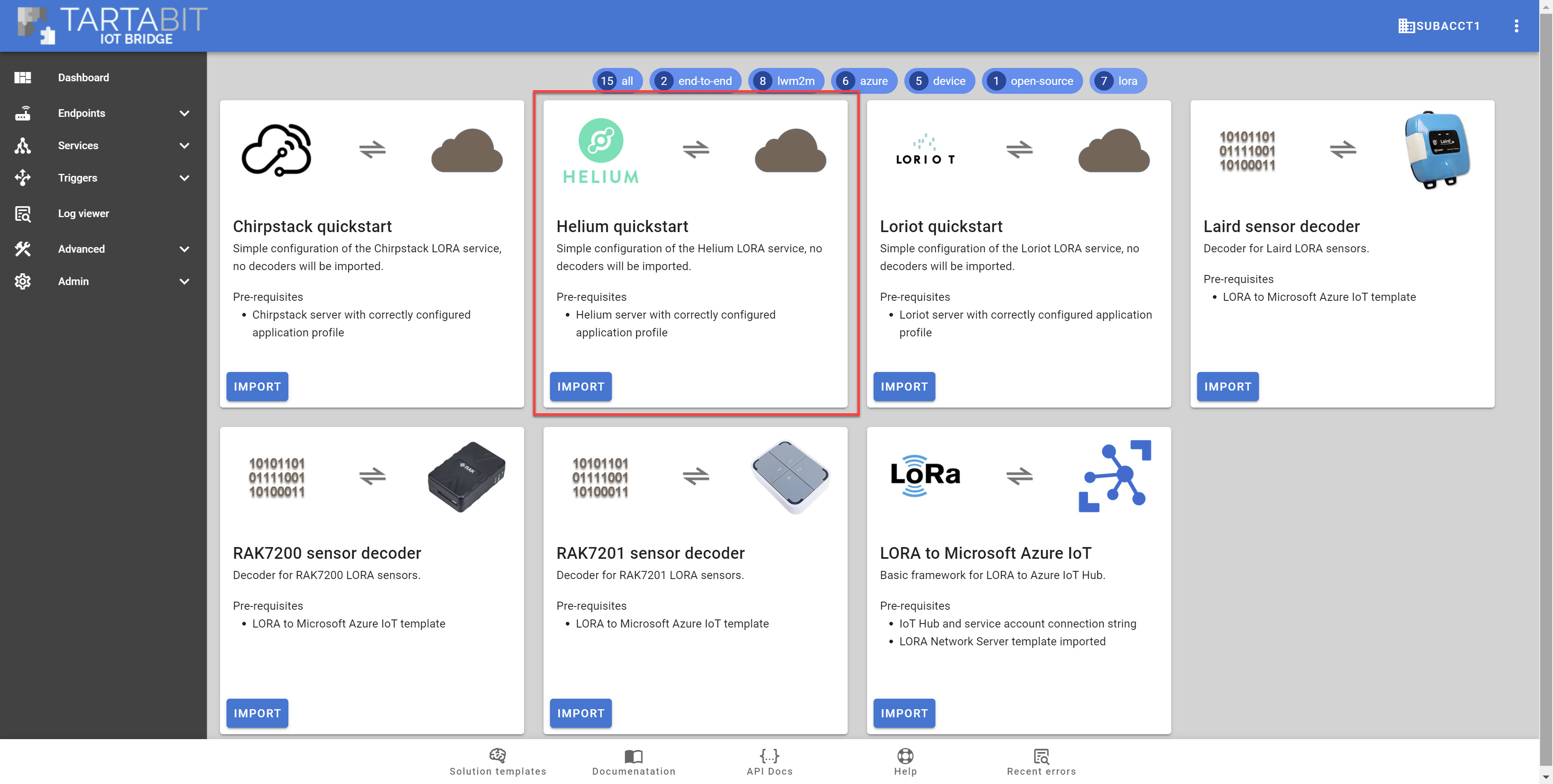
- Make note of the webhook secret, you will need it when configuring the Chirpstack HTTP Integration.
¶ 2. Configure Helium
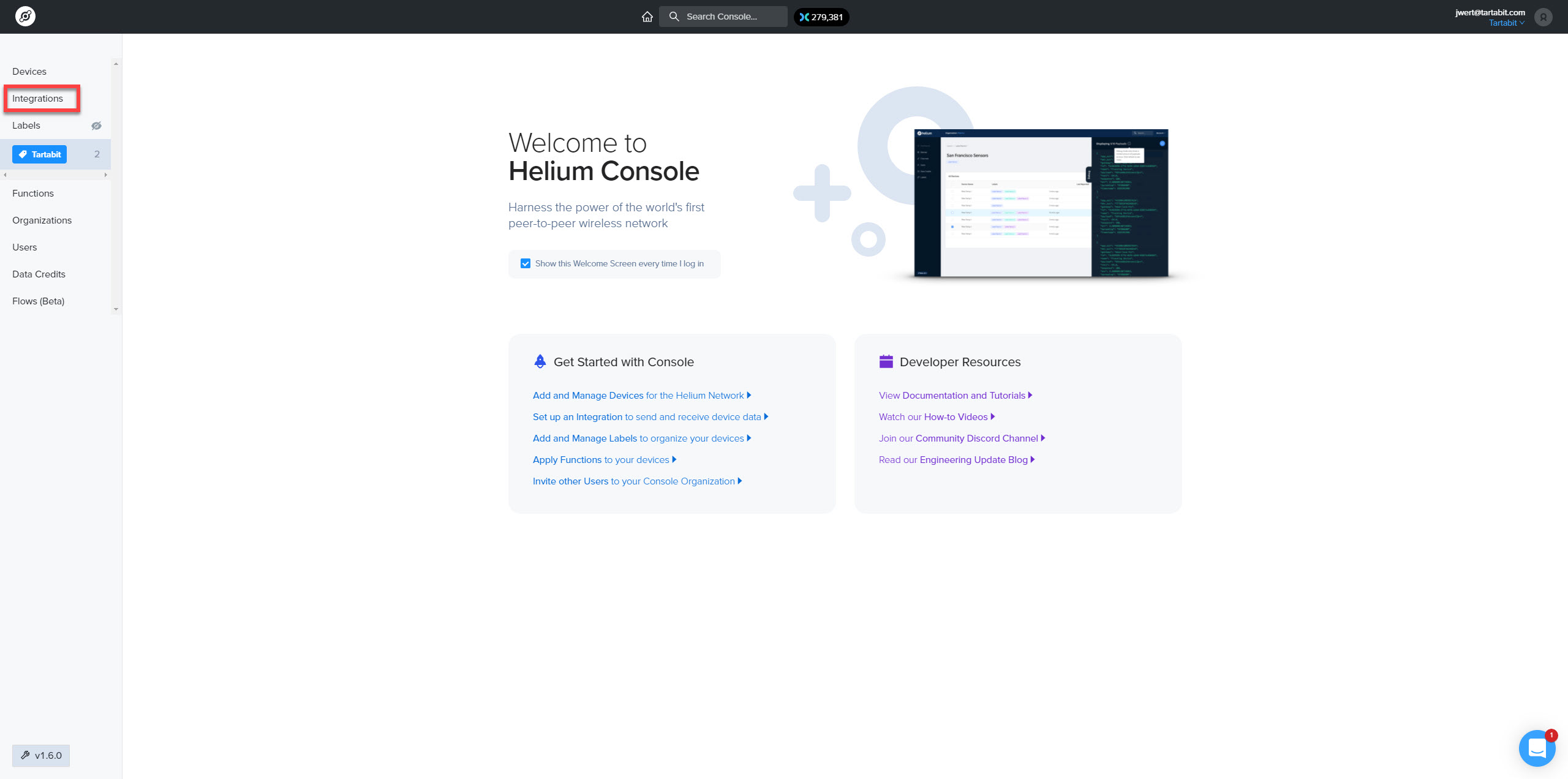
- Login to your Helium server.
- Click
Integrationson the main menu.
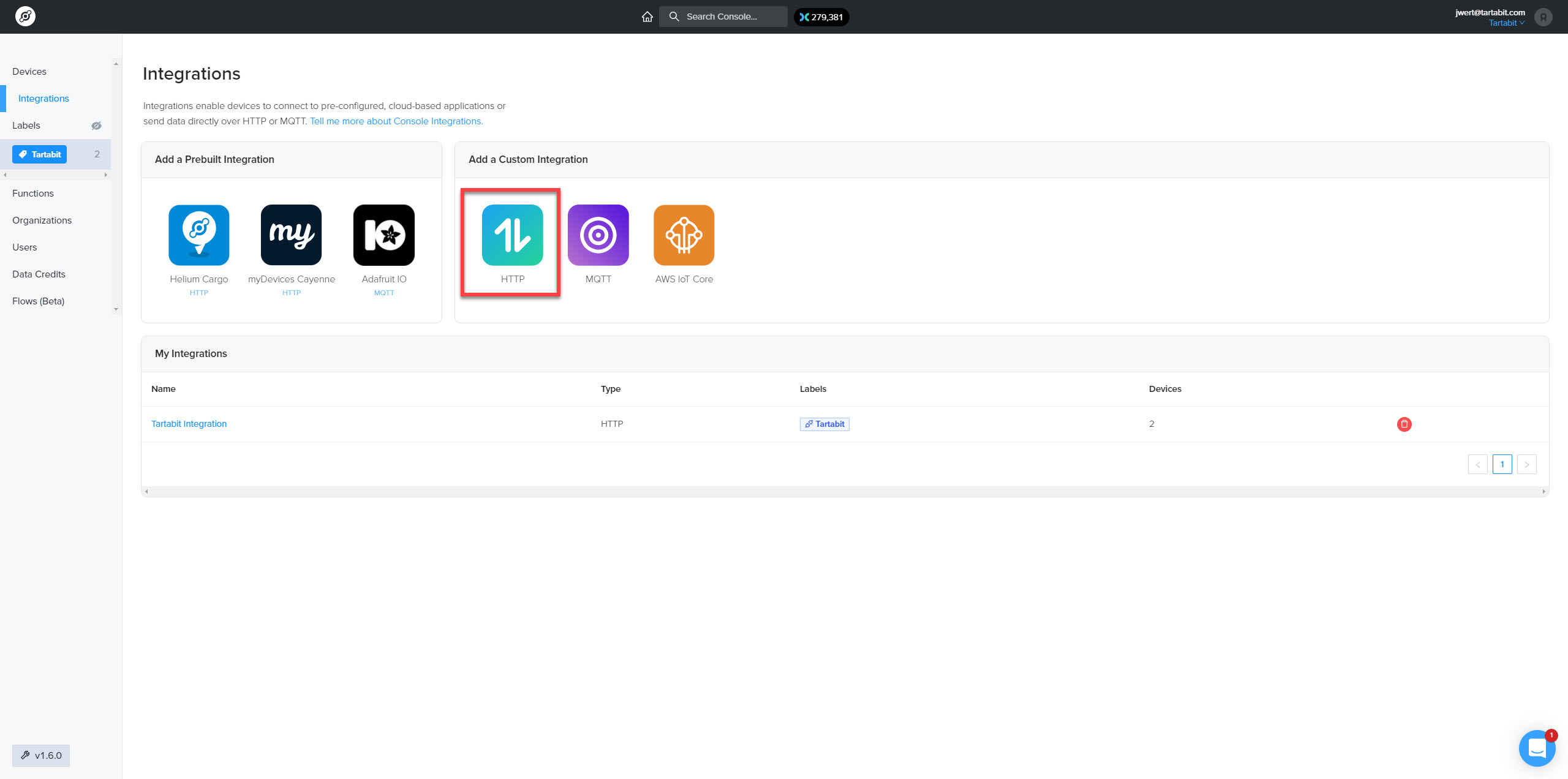
- Click the
HTTPintegration underAdd a Custom Integration.
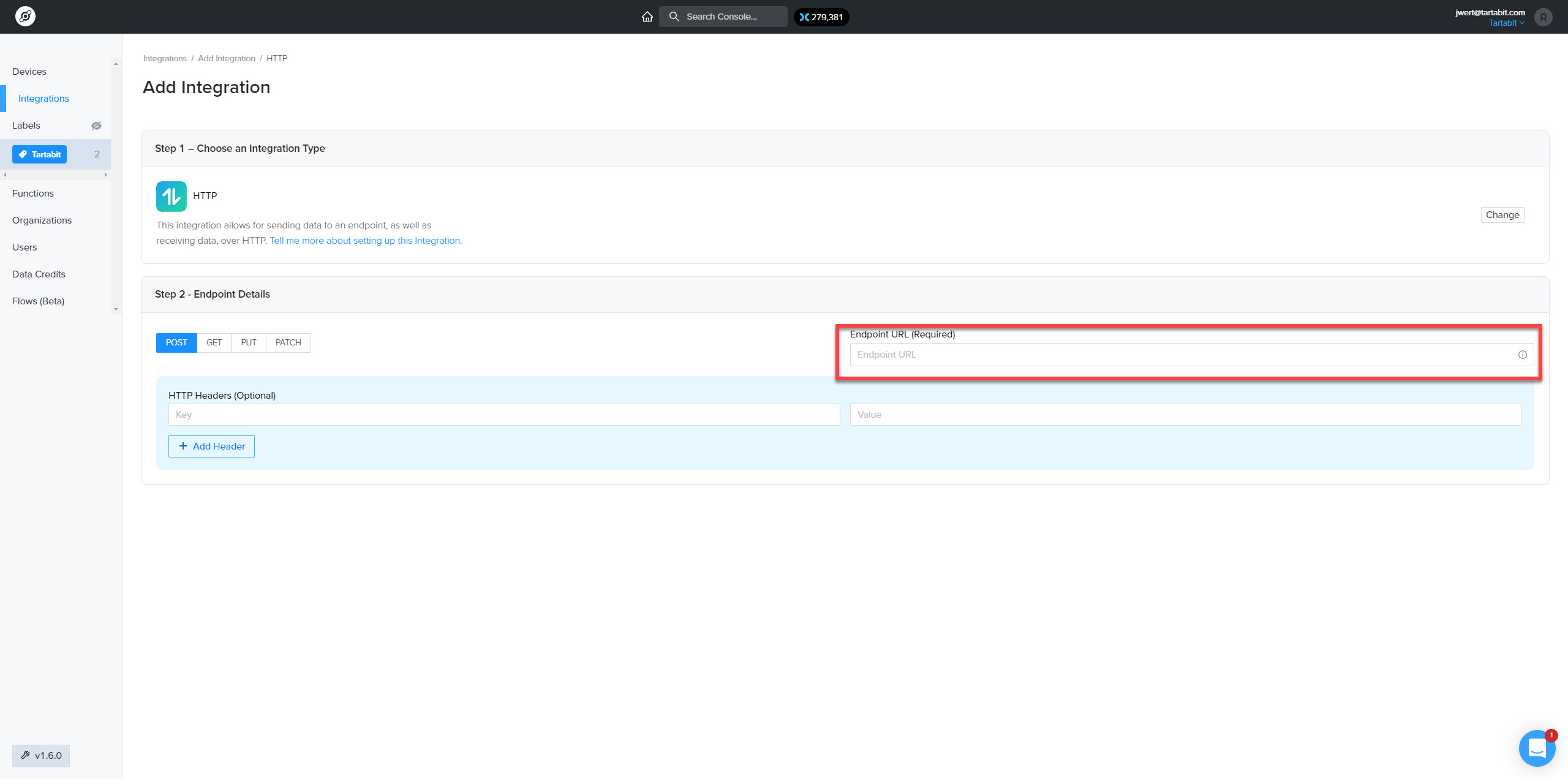
- Select
POSTas the method, and configure theEndpoint URLfield with your webhook URL. Note that this is the URL you use to access the Tartabit IoT Bridge https://bridge-us.tartabit.com/webhook/<webhook from above>
¶ 3. Start sending data!
As your devices send uplink messages, you will see the activity on the Helium HTTP Listener service, as well HTTP Post from Helium trigger.